10 Steps to Quickly Reset Your Whirlpool Washing Machine
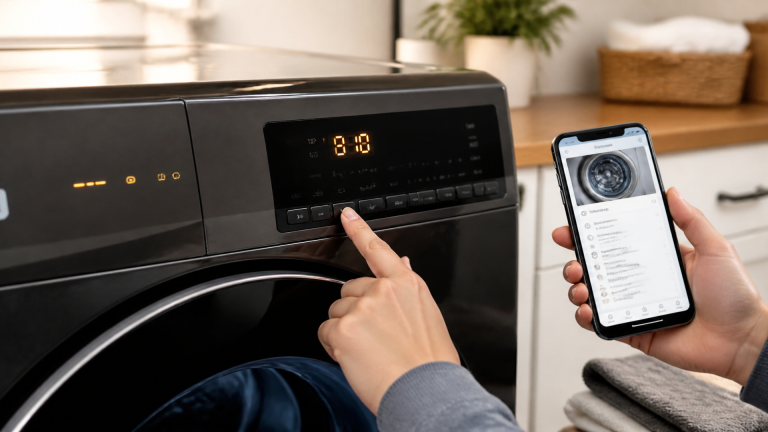
To quickly reset a Whirlpool washing machine, first, check the power supply by ensuring it’s plugged in. Next, inspect the door lock for damage and make sure it clicks securely. Then unplug the machine for a minute to reset the control board. After that, plug it back in, run a test cycle, and clear any error codes. Balance the load to avoid problems. If issues persist, Whirlpool support is ready to help you out. There’s more about troubleshooting ahead!
Key Takeaways
- Unplug the washer for about five minutes to perform a power cycle and reset minor glitches.
- Check the control board and ensure all electrical connections are secure before resetting.
- Identify any displayed error codes and clear them through a power cycle or control panel reset.
- Inspect the door lock and seal to ensure a tight closure before running the machine.
- Run a test cycle to observe machine behavior and verify successful reset after performing troubleshooting steps.
Check the Power Supply
Before diving into any troubleshooting steps, it’s important to check the power supply because, without power, even the fanciest washing machines won’t budge an inch! The first thing to do is confirm that the washing machine is plugged in. Check the outlet too; it might be a little troublemaker! Using a multimeter for voltage measurement can help. You want to make sure the outlet is providing the proper voltage. A reading of around 120 volts is necessary for most machines.
Next, examine whether the outlet is properly grounded. Bad grounding can create sparks—not the kind of excitement you want in your laundry room! If you find any irregularities, it might be time to call an electrician. Remember, tackling power supply issues may seem intimidating, but you’ve got this! Keep calm and double-check those connections. Your Whirlpool washing machine will be back in action before you know it!
Inspect the Door Lock
After verifying that the power supply is in good shape, attention should turn to the door lock of the Whirlpool washing machine. This little gadget plays a big role in keeping the washing machine safe and sound. Regular latch inspection can prevent bigger issues down the road. Here are some tips for consideration:
- Check if the latch clicks securely when closed.
- Look for any visible damage or bending on the latch.
- Make sure the seal condition around the door looks good—no tears or gaps!
- Confirm the door closes tightly, with no gaps that could let water escape.
If anything seems off, it might be time to replace the door lock. Keeping an eye on this small but mighty part can save time and frustration during laundry day. So, be proactive and give that door lock the attention it deserves!
Reset the Control Board
Resetting the control board of a Whirlpool washing machine can feel like a magic trick that brings your appliance back to life. This essential component is what makes your machine tick. Sometimes, a simple firmware update can do the trick to refresh its settings. If that doesn’t work, it may need a board replacement.
First, make sure all settings are correct. Don’t panic if your washer feels uncooperative; it happens to the best of us! Gently pressing the buttons in a specific order can sometimes coax the control board back to its cheerful self.
Think of it like giving your washing machine a little pep talk. If you’ve tried everything and still face issues, consulting a technician may be the next step. Remember, your appliance deserves a little TLC too, and soon enough, it’ll be spinning and cleaning like new!
Unplug and Plug Back In
To reset a Whirlpool washing machine, one effective method is to simply unplug it from the wall. By doing this, the machine takes a short break, allowing any confused electrical components to cool down and reset themselves. Once it has been unplugged for about a minute, plugging it back in can give your washer a fresh start, just like a good night’s sleep does for us!
Power Cycle Method
Sometimes, all it takes to revive a Whirlpool washing machine is a simple power cycle. This method not only helps reset the machine but also supports energy conservation and appliance longevity. Here are a few easy steps to follow:
- Unplug the washing machine from the power source.
- Wait for about 30 seconds to let all energy drain.
- Plug the machine back in securely.
- Turn it on and check if it functions properly.
Resetting Electrical Components
When a Whirlpool washing machine starts acting up, a quick fix can often be achieved by resetting its electrical components, which is as easy as unplugging and plugging it back in. This method allows for a capacitor discharge, clearing any minor glitches in the system. To reset, simply unplug the washing machine from the wall for about a minute. This brief pause can help refresh the machine’s internal programming. While you wait, it’s a good idea to also check connections for any visible wear or damage, making sure nothing looks out of place. A quick solder inspection can help verify everything remains intact. This simple step can resolve many problems and get your washing machine back to work in no time!
Run a Test Cycle
After resetting the Whirlpool washing machine, it’s time to run a test cycle to see how everything works! Selecting the appropriate cycle is key, as it allows the machine to showcase its functions while you keep an eye on how it behaves. Watching for any unusual noises or issues helps confirm that the washer is ready to handle your laundry—so let’s get started and see what it can do!
Select Appropriate Cycle
Running a test cycle is an important step in confirming that the Whirlpool washing machine is functioning properly. By choosing the right settings, users can effectively check the machine’s performance.
- Consider different fabric types, like delicate, regular, and heavy-duty.
- Set the appropriate water temperature for the load, whether it’s cold, warm, or hot.
- Select the cycle length that matches the chosen fabric to avoid damage.
- Test any special features, like the rinse or spin settings, to see how they work.
This careful selection helps make sure all items are washed correctly and come out fresh and clean. Remember, a smooth washing experience starts with a smart choice of cycle. Happy washing!
Observe Machine Behavior
Selecting the right cycle is just the first step toward a successful washing experience. Once the cycle is chosen, it’s important to observe the machine’s behavior during a test run. Pay attention to the vibration patterns as the washer operates. If it shakes too much or makes unusual noises, it may signal an issue. Noise characterization can reveal problems like an unbalanced load or worn-out components. Monitoring these details helps guarantee everything functions correctly. If strange sounds or excessive vibrations are noticed, try redistributing the load or checking for foreign objects stuck inside. Remember, a little observation goes a long way, making sure your Whirlpool washing machine works smoothly and efficiently! Happy washing!
Use the Spin Cycle Reset
Using the Spin Cycle Reset can be a simple yet effective way to troubleshoot a Whirlpool washing machine that’s not functioning properly. This method allows users to restore normal operation, promoting fabric longevity and wrinkle prevention. Here’s how to make the most of this reset technique:
- Locate the spin cycle settings on the control panel.
- Turn the dial or press the button to select the spin mode.
- Start the machine, allowing it to go through the spin cycle.
- Listen for any unusual noises that might indicate a problem.
Perform a Hard Reset
Sometimes, even after completing a Spin Cycle Reset, a Whirlpool washing machine might still act a little quirky. In such cases, performing a hard reset can help restore order. Start by unplugging the machine from the wall. Wait for at least five minutes—this gives the internal computer a chance to cool down, much like a quick nap for your washer! After waiting, plug it back in and try to power it on.
Clear the Error Codes
When a Whirlpool washing machine shows an error code, it can feel frustrating, but don’t worry—there’s a way to clear it! First, identify the specific error code displayed. Once you know what it is, you can power cycle the machine or reset it through the control panel, getting your washer back in action and ready to tackle those laundry piles!
Identify Error Code
Although error codes on a Whirlpool washing machine can feel intimidating, they are actually helpful signals that guide users to resolve issues effectively. Understanding the error taxonomy can make it easier to tackle problems through accurate fault diagnostics.
Here’s what to look for:
- Identify the error code displayed on the control panel.
- Refer to the user manual for specific meanings behind the codes.
- Check online resources or Whirlpool’s website for a complete list of error codes.
- Record these codes for future reference, helping to avoid confusion down the line.
Power Cycle Machine
Power cycling a Whirlpool washing machine can be a simple yet effective way to clear error codes and get the machine back in working order. To do this, unplug the washer from the wall. Wait for about five minutes to let it rest, which helps in energy savings. Then, plug it back in. Observing these steps can also help maintain warranty considerations, ensuring you don’t void any service agreements. Power cycling can often erase minor glitches, making it feel like your washing machine has a fresh start. So, when in doubt, give it a little break! This quick fix can save you from the hassle of calling a repairman. Remember, you’ve got this!
Reset via Control Panel
After giving the Whirlpool washing machine a little break by power cycling it, the next step is to reset it using the control panel. This process helps clear any pesky error codes that may linger.
To successfully navigate this reset, consider the following:
- Understand the Menu Navigation: Familiarize yourself with the buttons and display options.
- Check Touchpad Sensitivity: Make sure that the touchpad is functioning well; a gentle tap is usually enough!
- Follow Specific Instructions: Refer to the washer’s manual for tailored guidance.
- Be Patient: Give the machine some time to process your commands.
Ensure Proper Load Balance
To achieve the best washing results, ensuring proper load balance is essential. When loading the washing machine, careful clothing placement plays a vital role. If the clothes are clumped together on one side, the load distribution becomes uneven. This can make the machine work harder and might even cause it to vibrate excessively. To avoid this, it’s important to distribute items evenly around the drum.
Larger items, like towels or sheets, should be balanced with smaller pieces, such as t-shirts or socks. Think of it as a fun puzzle—putting things in the right spots to make everything fit nicely!
Contact Whirlpool Support
Sometimes, even the most balanced loads can lead to unexpected issues with a washing machine. When this happens, reaching out to Whirlpool Support can be a helpful step. They are there to assist, ensuring that your washing machine returns to its ideal state. Here are some things you might discuss with them:
- Warranty inquiries, to check if your issue is covered
- Service scheduling, to set up a technician visit if needed
- Tips on troubleshooting common problems
- Guidance on using features specific to your model
Whirlpool’s friendly representatives can make the process easier and provide peace of mind. Remember, there’s no need to feel lost; they aim to support you. So don’t hesitate! A quick call or message can grant you clarity and help resolve your washing machine woes. After all, everyone deserves a helping hand, especially when laundry day is at stake!
Frequently Asked Questions
How Often Should I Reset My Whirlpool Washing Machine?
The manufacturer recommendations suggest resetting a Whirlpool washing machine only when necessary, generally as part of a maintenance schedule. Frequent resets may indicate underlying issues that require inspection rather than becoming a routine practice.
Can I Reset the Washing Machine Without Turning off the Power?
Yes, an instant reboot can often be performed without turning off the power. This process may allow the machine to run live diagnostics, identifying any issues without the need for a complete power cycle.
What Should I Do if the Reset Doesn’T Work?
When all else fails, one should inspect hoses for blockages or leaks. If the issue persists, it’s wise to call a technician to troubleshoot further, ensuring the washing machine operates smoothly once again.
Are There Any Specific Error Codes I Should Know About?
Yes, specific error codes such as F21 or F28 indicate issues like drain problems or communication errors. Understanding these diagnostic codes and their meanings can help in troubleshooting and resolving the washing machine’s performance issues effectively.
Will Resetting the Machine Erase My Settings or Cycles?
Resetting the machine typically does not erase preset retention or custom programs. Notably, around 30% of users prefer custom settings for peak performance, underscoring the importance of preserving personalized configurations during a reset procedure.
Conclusion
Resetting your Whirlpool washing machine doesn’t have to be a challenging task. With these ten steps, it’s like giving your washer a bracing splash of cold water! Remember, whether it’s checking the power supply, inspecting the door lock, or running a test cycle, each step brings you closer to a smooth laundry day. Think of it as part of your adventure in home care, and don’t hesitate to reach out to Whirlpool support if you need a helping hand!
Explore This Topic
- Back to Washing Machine
- Back to appliance troubleshooting
Related guides in this cluster: