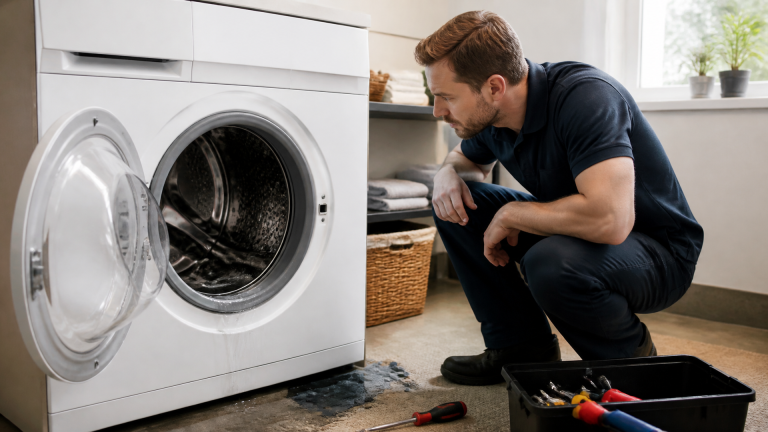
Electrolux Washing Machine Not Draining: Causes and DIY Fix Guide
If your Electrolux washer stops with water still in the drum, the drain system is either blocked or failing. Most often a clogged drain filter or a stuck pump impeller is at fault. This guide walks you through the fastest diagnostic order—from listening for the pump to clearing the blockage—and gives clear stop signals for when to call a technician.
Triage: Two Quick Checks Before You Open Anything
Start with these two observations. They save you from unnecessary disassembly and point you to the right fix in minutes.
- Listen to the pump. Start a drain or spin cycle. Place your ear near the lower front panel (or bottom rear on some models).
- A humming sound means the pump motor is powered but water isn’t moving → obstruction likely.
-
A silent pump may indicate no power, a dead motor, or a control board fault.
-
Check the error code. Many Electrolux front-loaders display codes like E23, E24, or E52 when the drain fails. Find the code in your manual or on the sticker inside the door. It narrows the cause: filter block (E23), pump failure (E24), or pressure sensor fault (E52).
According to Electrolux service manuals, “Always disconnect the appliance from the power supply before any maintenance or cleaning.”
Stop signal: If you see visible water leaking from the bottom, unplug immediately and proceed only to the drain filter—do not attempt a pump test until the leak is addressed.
Why Your Electrolux Won’t Drain: The Likely Causes
Clogged Drain Filter
- Symptom: Pump hums, water level drops slowly or not at all. Error codes E23 or E24 often appear.
- Cause: Coins, buttons, paper clips, or lint buildup trapped in the filter housing. On front-load Electrolux washers the filter is behind a small lower panel (left or right front).
- Check: Open the filter access door, place a shallow pan under it, and unscrew the filter cap. Inspect for debris.
- Fix: Remove debris, rinse the filter screen under warm water, and reinstall hand-tight. Run a test drain cycle.
Stuck Pump Impeller (Foreign Object Blockage)
- Symptom: Pump hums but no water moves. No error code or code E24.
- Cause: An object (bra underwire, sock, small toy) caught in the pump impeller, preventing rotation.
- Check: After removing the filter, shine a flashlight into the pump housing. Look for visible blockage. If clear, the obstruction may be deeper in the pump volute.
- Fix: Remove the pump assembly (2–3 screws and a plug connector). Manually rotate the impeller; if stuck, extract the object with needle-nose pliers. Reassemble and test.
Faulty Drain Pump (Electrical Failure)
- Symptom: No sound from pump at all. Error code E23, E52, or no code.
- Cause: Burnt-out pump motor, broken wiring, or failed pump relay on the control board.
- Check: Use a multimeter to test continuity across the pump motor terminals (after unplugging). If readings are open, the pump is dead. Also check the inline fuse or electronic circuit board.
- Fix: Replace the drain pump. On Electrolux models the pump is usually mounted on the right bottom or rear. This is a middle-difficulty DIY job; if you can’t handle electrical tests, call a technician.
Trade-off decision rule: A humming pump with no water movement is almost always an obstruction (filter or impeller) and rarely a pump motor failure. A silent pump with no error code is more likely an electrical problem. This distinction saves you from buying a pump you don’t need.
For a broader view of what typically fails in these washers, review the common causes of a washing machine not draining.
Blocked or Kinked Drain Hose
- Symptom: Water drains slowly, or drains only when the hose is moved.
- Cause: Kink behind the washer, clog at the standpipe connection, or buildup inside the hose.
- Check: Pull the machine away from the wall, inspect the drain hose for bends. Disconnect the hose from the standpipe and pour a bucket of water through it—if water doesn’t flow freely, the hose is blocked.
- Fix: Straighten kinks; use a long brush or replace the hose if blocked.
Control Board or Pressure Sensor Fault
- Symptom: Pump runs fine (you hear it working and water drains) but the cycle never advances past drain, or the same error code reappears immediately after a reset.
- Cause: The main control board fails to send the “drain complete” signal, or the pressure sensor incorrectly reads water level.
- Check: Try a factory reset: unplug for 30 seconds, plug back in, and run a diagnostic cycle. If the error returns within one cycle, the board or sensor likely needs replacement. For washers over 7 years old, compare repair cost (often $250–$400) against a new machine before proceeding.
- Fix: Professional diagnosis is recommended unless you have advanced electronics experience. Replacing the control board yourself requires removing the top panel and matching the exact part number.
How to Clear the Drain Filter and Check the Pump
These steps cover the most common fix—a blocked filter or impeller—and include checkpoints to decide whether to continue or escalate.
What You’ll Need
- Towels or a shallow drain pan
- Flathead screwdriver (to open access panel)
- Pliers (for stubborn filter cap)
- Multimeter (optional, for pump test)
Step 1: Unplug the Washer and Turn Off Water
Always begin here. This is not optional.
Step 2: Access the Drain Filter Panel
On most Electrolux front-loaders, the panel is at the lower right or left. Insert a flathead screwdriver into the slot and gently pry it open. On top-load models the filter is often inside the machine near the bottom of the drum.
Step 3: Drain Residual Water
Place a pan or towels below the filter opening. Slowly unscrew the filter cap counterclockwise. Expect up to two liters of water to spill out. Let it drain completely.
Step 4: Remove and Clean the Filter
Pull the filter out. Check both the screen and the housing for coins, lint clumps, hair, or small objects. Rinse under warm water. Reinsert the filter and hand-tighten the cap. Do not overtighten—it only needs to be snug.
Step 5: Check the Pump Impeller (If Needed)
If the filter was clean but the pump still hums without draining, the obstruction is likely deeper in the pump volute. Do not simply run another cycle—remove the pump cover instead. Shine a flashlight into the hole and look for a spinning fan-like piece. Rotate it manually with a tool or your finger (gloves recommended) if possible. If it doesn’t move, an object is jamming it. You’ll need to remove the pump cover (typically 3–4 screws) to extract it.
Common mistake: Forgetting that a residual sock or small item can be wedged between the impeller and housing—you won’t see it from the filter opening. You must remove the pump cover or full pump assembly.
Step 6: Test the Drain Cycle
Reassemble everything, plug the washer back in, and run a “Drain & Spin” cycle. Water should be gone within 2–3 minutes. If it’s still not draining, proceed to the electrical checks described in the pump failure section. A detailed step by step guide to fixing a washing machine not draining can walk you through those advanced diagnostics.
Success signal: You hear the pump run for 1–2 minutes, then stop with no error code. Water leaves the drum completely.
Drain Diagnosis Checklist – 6 Quick Pass/Fail Checks
Use this table during your troubleshooting. Apply each check in the order shown.
| # | Check | Pass (go to next) | Fail (action) |
|---|---|---|---|
| 1 | Washer unplugged? | Yes | Unplug immediately |
| 2 | Pump hums when trying to drain? | If hums → filter or impeller blocked | If silent → electrical pump or control issue |
| 3 | Filter removed and cleaned? | Clean → proceed to impeller check | Clogged → clean and retest |
| 4 | Impeller rotates freely? | Yes → move to hose check | No → remove obstruction or replace pump |
| 5 | Drain hose is not kinked or blocked? | Clear → test cycle | Kinked or blocked → straighten or clear |
| 6 | No error codes after retest? | Fixed – job done | Error persists → professional escalation |
When to Call a Professional: Stop and Escalation Signals
- Water leakage from the bottom – may indicate a broken pump housing or hose.
- Burnt smell or visible smoke – potential electrical short; stop immediately.
- Silent pump after confirming continuity is okay – control board likely needs replacement; not a beginner repair.
- Error code persists after clearing filter and hose – advanced electrical diagnosis required.
If any of these apply, disconnect the washer and contact an Electrolux-authorized service technician. Replacing a faulty drain pump is doable for a competent DIYer, but control board repairs demand professional tools. If you determine the pump needs replacement, a guide on how to replace drain pump on LG washing machine covers the general procedure—many Electrolux models use a similar mounting style.
Frequently Asked Questions
Q: Can I run a cycle with the drain filter cap off?
No. Never operate the washer without the filter cap securely in place; water will flood the floor and the pump may lose prime.
Q: My Electrolux shows error code E23 but I cleaned the filter. Why is it still there?
E23 indicates a drain time-out. The filter may be clear, but the pump impeller could still be blocked deeper inside, or the drain hose is partially clogged. Remove the pump cover and inspect the impeller.
Q: Will a clogged drain filter cause my washer to stop mid-cycle?
Yes. The washer’s control board monitors water level. If it fails to drain within a set time (usually 8–10 minutes), it halts the cycle and displays an error to prevent overflow.
Q: Is it worth replacing the control board on an older Electrolux washer?
If the washer is over 7 years old and the board costs $250–$400 plus labor, a new machine often provides better value. For a board under warranty or a relatively new machine, replacement makes sense.