
3 Steps to Lock Your LG Dryer
To lock your LG dryer, first, find the control lock button near the control panel. Next, press and hold this button for a few seconds; you’ll hear a beep and see a visual reminder that shows it’s locked—great job! When you need to release it, just hold the same button again until you see the lights flash or hear a beep. This handy trick keeps curious hands away, and there’s more to discover about your dryer’s cool features!
Key Takeaways
- Locate the control lock button near the control panel of your LG dryer.
- Press and hold the button for a few seconds to activate the lock.
- Listen for a confirmation beep to ensure the control lock is activated.
- Check the display for a visual reminder indicating the locked status.
- Refer to your user manual for specific instructions relevant to your dryer model.
Locate the Control Lock Feature
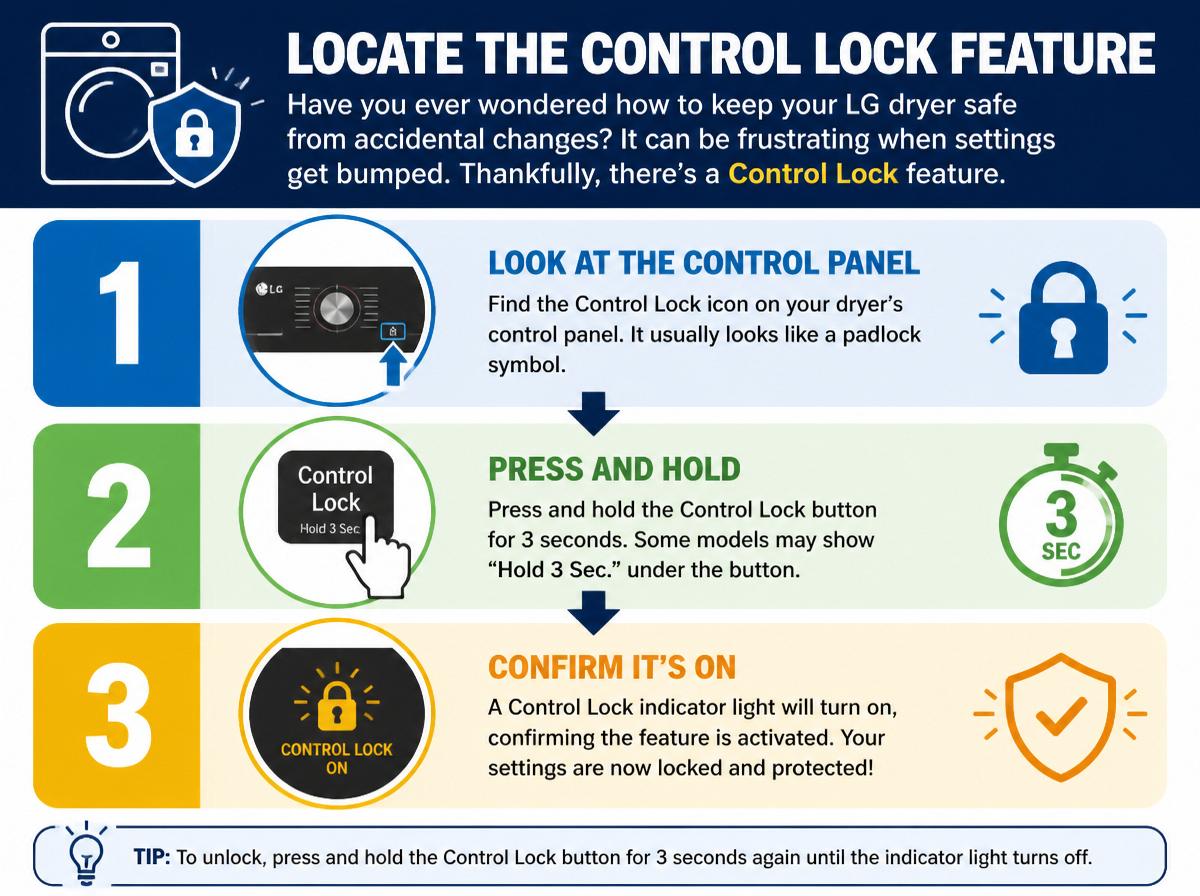
Have you ever wondered how to keep your LG dryer safe from accidental changes? It can be frustrating when settings get bumped. Thankfully, there’s a solution: the control lock feature! First, locate this handy tool on your dryer. Often, it’s near the control panel, blending in with the buttons. For specific details, check your user manual. It has diagrams and step-by-step instructions that make finding it a breeze!
Once you find the control lock button, you’ll feel like a hero, ready to tackle laundry day without issue. Remember, this feature is designed to save you from trouble. So, embrace your superpowers! With just a little focus, you can protect your dryer settings and make laundry less chaotic. Soon, you’ll wonder how you ever managed without it! Finding and understanding the control lock will bring a sense of relief and control to your laundry routine.
Activate the Control Lock
Now that the control lock feature has been located, it’s time to put it into action! Activating the control lock on an LG dryer is essential for preventing accidental changes to settings. This locking mechanism not only guarantees safety, especially around curious little hands, but also provides peace of mind while drying clothes, knowing the settings are secure.
To activate the control lock, the user simply presses and holds the designated button for a few seconds, typically labeled “Control Lock.” This simple action yields great control lock benefits.
Here’s a quick table for an easy reference:
| Step | Action Required | Benefit |
|---|---|---|
| Step 1 | Find the control lock button | Easy access |
| Step 2 | Press and hold for a few seconds | Settings stay unchanged |
| Step 3 | Wait for confirmation beep | Peace of mind |
| Step 4 | Check the display | Visual reminder of locked state |
| Step 5 | Enjoy safe drying | Less worry for users |
With these steps, activating the control lock is a breeze!
Deactivate the Control Lock When Needed
To guarantee a smooth drying experience, it’s important to know how to deactivate the control lock when it’s no longer needed. The control lock is essential for keeping little hands safe and preventing accidental settings changes. However, once those socks are safely tucked away, it’s time to release your dryer. Here’s how:
- Locate the Control Lock button: It’s usually found on the top panel of your LG dryer.
- Press and hold the button: Normally, you need to hold it for three seconds.
- Check for a signal: If the lights flash or a sound beeps, the control lock is deactivated.
- Refer to the user manual: If unsure, your user manual can provide more specific instructions tailored to your dryer model.
Frequently Asked Questions
Can I Use the Dryer While the Control Lock Is Activated?
The control lock prevents operation, ensuring dryer safety. While activated, users cannot start the machine, which is beneficial for avoiding accidental settings changes, especially in households with children or curious pets.
What Happens if I Forget to Deactivate the Control Lock?
If the control lock is forgotten, the dryer remains inoperable, leading to control lock consequences. This creates safety concerns, as users may be unable to start or modify drying cycles, potentially causing stress or frustration.
Does the Control Lock Feature Consume Extra Energy?
The control lock feature doesn’t consume a noticeable amount of energy, resembling a whisper in a storm. It maintains appliance efficiency without substantially impacting energy consumption, allowing users to enjoy peace of mind while conserving resources.
Is the Control Lock Feature Available on All LG Dryer Models?
The control lock availability varies among LG dryer models. While many contemporary models feature this safety function, it’s essential for users to consult their specific model’s user manual for confirmation and details about this functionality.
How Can I Reset the Control Lock if It Malfunctions?
To reset the control lock on the LG dryer, one should navigate through the dryer settings, pressing and holding the appropriate button for several seconds until the lock indicator turns off, restoring normal functionality.
Conclusion
By following these simple steps, anyone can easily lock their LG dryer and keep it safe from accidental use. Remember, locating the control lock feature is the first step; activating it keeps your dryer secure; and when it’s time to use it again, deactivating the lock is just as easy. With a little practice, you’ll feel like a pro! So, go ahead—lock it up, and enjoy the peace of mind that comes with it!
Explore This Topic
- Back to child safety
- Back to appliance lock
Related guides in this cluster: