
Reset Your GE Dryer With 5 Simple Steps for a Quick Fix
To reset your GE dryer, first, unplug it and wait a few minutes to clear any lingering energy. Next, plug it back in securely and listen for a click. Then, perform a control reset by pressing the “Cancel” button multiple times, turning it off, and holding the “Start” button for five seconds. Finally, test different drying cycles to verify it works properly. If the dryer still has issues, there’s more you can explore for more tips!
Key Takeaways
- Unplug the dryer for safety and to eliminate any risk of electrical shock before troubleshooting.
- Wait a few minutes to allow the dryer to reset and clear lingering energy.
- Plug the dryer back in securely, ensuring no damage to the power cord.
- Perform a control reset by pressing the “Cancel” button and holding “Start” for five seconds.
- Test various drying cycles to confirm the dryer is functioning properly after the reset.
Step 1: Unplug the Dryer
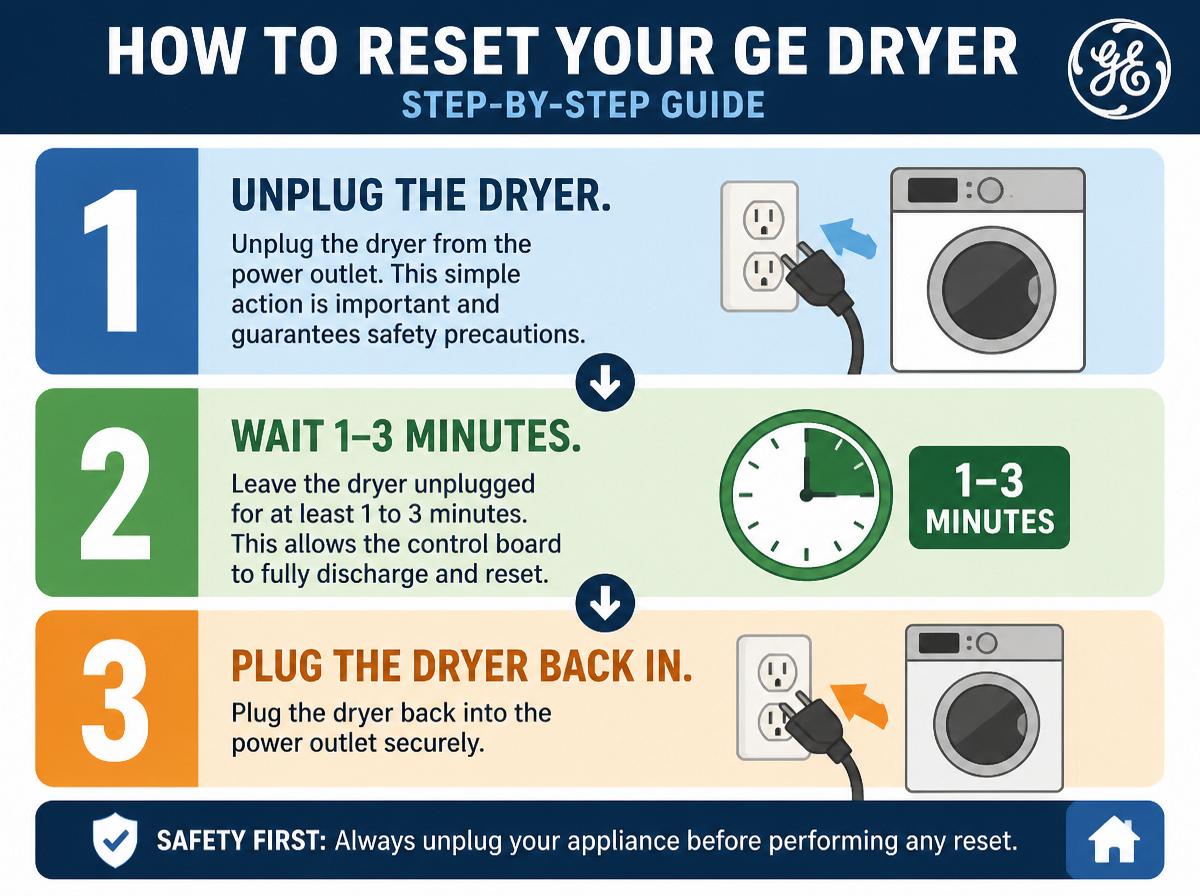
To kick things off, the first step in resetting your GE dryer is to unplug the machine. This simple action is important and guarantees safety precautions are taken. Before touching any electrical connections, it’s vital to avoid any risk of shock or mishap. By unplugging the dryer, you eliminate any potential hazards while working on the appliance. Think of it as giving your dryer a little timeout—it just needs a break!
Once unplugged, take a moment to reflect on what might be causing any issues. Are the clothes damp? Is it making strange noises? Recognizing these signs can guide you in further troubleshooting. Remember, handling electrical appliances requires care, so keep a positive attitude! You’re taking action to solve a problem, and every step counts. It’s like being a superhero for your laundry! Now that you’ve disconnected the dryer, you’re one step closer to a solution.
Step 2: Wait for a Few Minutes
After unplugging the dryer, it’s important to allow a little time for the machine to reset. Waiting for a few minutes helps clear any lingering energy and gives the dryer a fresh start. This step is essential in many troubleshooting guides, as a simple pause can often solve mysterious issues.
During this time, it’s a fun opportunity to think of it as your dryer taking a short nap—resting and recharging for better performance! This is just one of the many maintenance tips that can keep your appliance running smoothly.
While waiting, maybe take a moment to check around the dryer. Is there any lint to clean up? This small task contributes to overall efficiency. Remember, patience is key; don’t rush this step. Soon, your trusty GE dryer will be ready to get back to work, and you’ll be that much closer to fresh, clean laundry!
Step 3: Plug the Dryer Back In
Gently plugging the dryer back in is the next step in the reset process, and it’s a crucial moment! This simple action restores dryer power, but it’s important to prioritize electrical safety while doing so. Here are some steps to follow:
- Check the Cord: Verify the power cord is not damaged or frayed. A safe cord means fewer worries!
- Align Neatly: Position the plug directly into the outlet without any twisting or force—easy does it!
- Listen for Clicks: You should hear a click or feel resistance as the plug slides in. That’s a good sign!
- Observe the Lights: Once plugged in, check if the control lights illuminate. If they do, great job!
Step 4: Perform a Control Reset
Now it’s time to take charge and perform a control reset on the GE dryer! First, head to the control panel, where all the magic happens. Look for the “Cancel” button—press it a couple of times to clear any errors. This step is essential! Next, turn the dryer off for at least a minute to let everything cool down. After that brief pause, turn the dryer back on, and choose any cycle.
To finish, use various reset methods by holding down the “Start” button for five seconds. This action should get the dryer back on track. Don’t worry if it feels confusing; taking just one step at a time makes this task manageable. Remember, you’re becoming an expert at fixing your dryer. With a little patience and these simple instructions, you’re one step closer to enjoying a fully functional appliance once again! Keep going; you’ve got this!
Step 5: Test the Dryer Functions
Get ready to put the dryer to the test! After completing the reset, it’s time to see if everything is working as it should. Testing the dryer’s functions helps guarantee it’s running smoothly. Here are some troubleshooting tips to guide you:
- Select Different Dryer Settings: Start by choosing various drying cycles, like Regular and Delicate.
- Listen for Sounds: Pay attention for any strange noises that might indicate a problem.
- Check Heating Function: Make sure the dryer heats up appropriately during the cycle.
- Monitor Timer and Controls: Verify that the timer and controls respond correctly to your adjustments.
If all tests go well, congratulations! Your GE dryer is back to action. However, if it behaves oddly, don’t worry; you can always revisit the troubleshooting tips. A working dryer means less laundry stress and more time for fun!
Frequently Asked Questions
How Often Should I Reset My GE Dryer?
It is recommended to reset a GE dryer as needed, particularly during common dryer issues. Regularly applying dryer maintenance tips can prevent problems, ensuring peak performance and extending appliance lifespan for a smoother laundry experience.
What Causes My Dryer to Need a Reset?
Malfunction indicators in a dryer often prompt the need for a reset due to issues like overheating, electrical surges, or fault codes. Implementing appropriate troubleshooting methods can help identify and resolve these recurring problems effectively.
Will Resetting Fix a Faulty Dryer Part?
Resetting may temporarily alleviate issues, but it won’t remedy faulty parts. Effective troubleshooting techniques are essential to identify and address underlying problems, ensuring the dryer operates efficiently and prolonging its lifespan, much like an old-fashioned fix-it shop.
Is It Safe to Reset a Gas Dryer?
Resetting a gas dryer is generally safe when proper safety precautions are followed. Routine gas dryer maintenance guarantees functionality, reducing risks. It is essential to follow manufacturer guidelines to maintain safety during any resetting procedures.
Can I Reset My Dryer if It’s Overheating?
Resetting a dryer experiencing overheating issues can be possible, but it’s vital to address underlying problems first. Proper dryer maintenance, including cleaning lint traps and vents, helps prevent overheating and guarantees safe operation.
Conclusion
Resetting your GE dryer doesn’t have to feel like solving a puzzle with missing pieces. By following these five simple steps, you can bring your dryer back to life, like a superhero ready to tackle laundry day! Remember, taking a moment to unplug and reset can work wonders. So, give your dryer a little break, plug it back in, and watch it whirl again. You’ve got this, and soon, fresh, clean clothes will be yours to enjoy!
Explore This Topic
- Back to Dryer
- Back to appliance repair
Related guides in this cluster: