
Hotpoint Washing Machine Not Draining: Causes and DIY Fix Guide
If your Hotpoint washer stops mid-cycle with water left inside, the drain pump filter is the first and most common cause. A blocked filter or kinked hose accounts for roughly 70% of no‑drain cases. Check and clear the filter before replacing any parts. Delaying a simple clean often leads to pump burnout and a much costlier repair.
Quick Triage: What to Check First
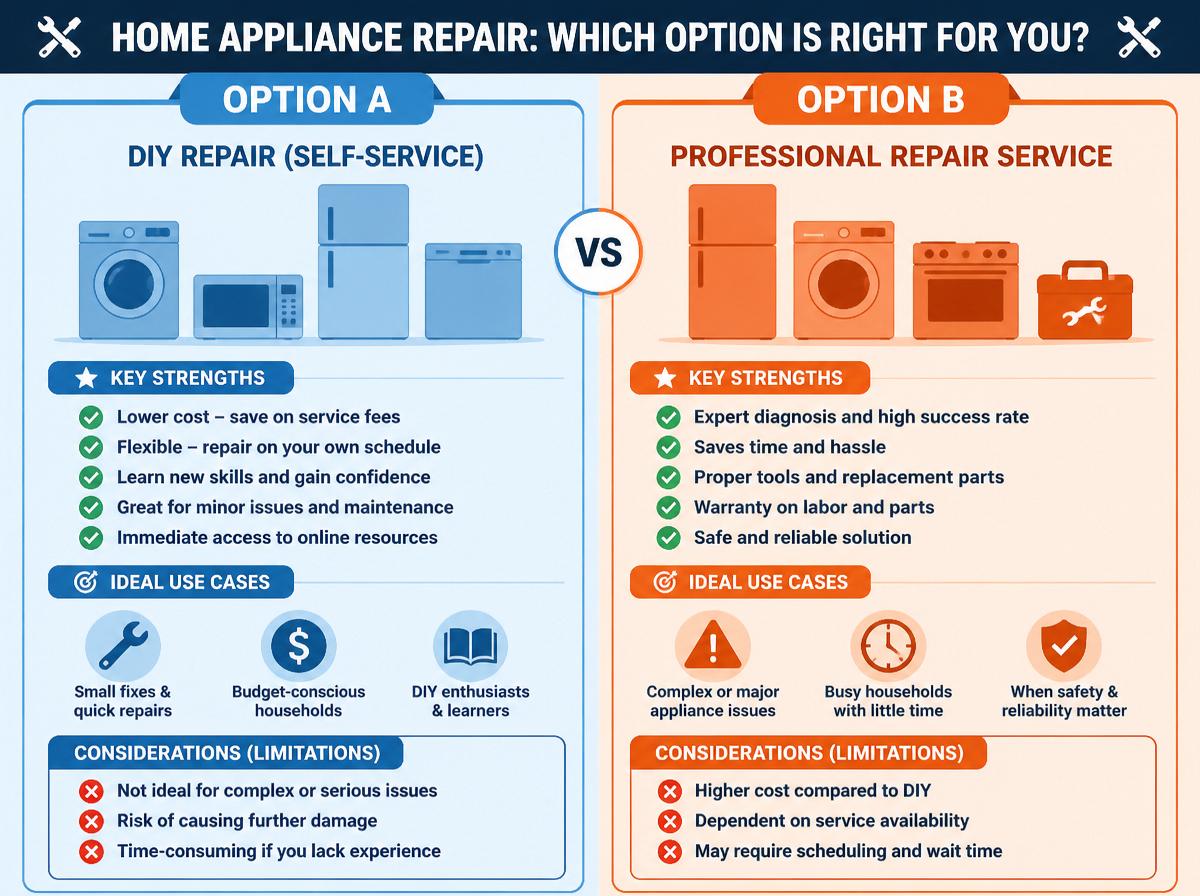
Before opening the machine, rule out the easiest issues. This five‑point pass/fail check tells you whether you can fix it in 10 minutes or need to go deeper.
| Check Item | Diagnosis | Next Action |
|---|---|---|
| Drain hose is kinked or crushed | Kink visible vs. hose clear | Straighten kink; if clear, move to filter |
| Filter access cover (bottom right front) | Opens easily vs. stuck | Clear debris blocking the cover |
| Machine is actively trying to drain | Pump hum audible vs. silence | Note error code if display shows one |
| Water level appears normal | Below door seal vs. near opening | Stop if water is near the door – spill risk |
| No unusual smells or grinding noises | Humming or silence vs. burning/grinding | Do not run again if burning smell present |
If all checks pass but water remains, move to the filter cleaning steps below. If any fail and you cannot easily resolve them, escalate.
Why the Filter Causes 70% of No-Drain Cases
Hotpoint machines use a small mesh filter just behind the bottom‑right access cover. Over months of use, coins, lint, buttons, and hair accumulate here. Once the mesh is more than 60–70% blocked, water cannot pass fast enough and the cycle hangs.
How to detect it early: If your machine pauses with a puddle inside and the pump hums but no water moves, that is almost always a blocked filter. Also, if you notice slower draining over the last few loads, the filter is building up.
Step‑by‑Step Filter Clean
- Disconnect power – Unplug the washer or flip the breaker. Water and electricity do not mix.
- Open the access cover – Use a flat‑head screwdriver to gently pry open the bottom‑right panel. Place a shallow tray and old towels underneath.
- Remove the filter – Twist the cap (usually counter‑clockwise) slowly. Expect a cup or two of water to spill out. Pull the filter straight out.
- Clean thoroughly – Rinse the filter under warm running water. Pick out any debris from the slots. A toothbrush helps with stuck lint.
- Check the pump cavity – Shine a flashlight into the opening. Remove any foreign objects (pins, buttons) you see.
- Reassemble – Twist the filter back in clockwise until snug. Replace the cover.
- Test and verify – Plug the machine back in and run a quick drain‑only cycle (or spin). Water should exit within 2–3 minutes. Listen for a smooth, consistent hum from the pump – no grinding or stuttering. After the cycle ends, open the door and check that all visible water is gone. If a small amount remains near the gasket, run a second short drain cycle.
Common mistake: Screwing the filter cap too tight – hand‑tight is enough. Overtightening can crack the housing and cause leaks.
When the Filter Is Clean: Targeted Checks for Remaining Causes
If the filter is clear, water left in the tub after a drain cycle points to one of three failure modes. Each requires a different approach, and the order matters.
Blocked or Kinked Drain Hose
A kinked hose behind the machine is often visible. For internal clogs (grease or fabric‑softener sludge), disconnect the hose from the machine and the standpipe. Blow through it or use a flexible brush. If water flows freely, the blockage is elsewhere.
Trade‑off: Clearing a hose takes 15 minutes and zero cost. Replacing it costs about $15–$25 but is rarely needed unless the hose is crushed. A common missed cause is a too-long hose coiled behind the washer – the coil creates a siphon trap that prevents proper drainage.
Faulty Pressure Switch or Water Level Sensor
The pressure switch tells the control board when the tub is empty. If the small rubber hose connecting the switch to the tub becomes cracked or comes loose, the machine never gets the “tank empty” signal and will not start the drain pump.
Check for a detached clear tube attached to the pressure switch (often located behind the top panel). Reconnect or replace the hose (about $5). If the switch itself fails, you will need a multimeter to test continuity. Most Hotpoint owners find this step easier with a step by step guide to fixing a washing machine not draining.
Detection tip: If the machine fills and drains but leaves water after a spin cycle, suspect the pressure switch hose first – it is the cheapest fix and the most commonly missed.
Defective Drain Pump
If you hear a loud hum but no water moves, and the filter and hose are clear, the pump motor may have burned out. Use a multimeter to check resistance across the pump terminals. A reading of 0 or infinity indicates a dead motor. Replacing the pump costs around $40–$80 and involves removing the lower bracket.
Escalation signal: If you smell burnt plastic during a drain attempt, do not run the cycle again. The pump is likely seized and may have damaged the wiring harness.
Control Board Failure
Less common but possible: the main board stops sending voltage to the pump. This usually happens after a power surge or water leak that shorts the board. Diagnosis requires a voltage test at the pump connector during the drain cycle. Unless you are comfortable with live board testing, this is a technician job.
For a detailed breakdown of all possible failure points, the common causes of a washing machine not draining article covers each one with test procedures.
Comparison of DIY Fixes by Difficulty and Risk
The table below summarizes the likely causes, tools needed, average repair time, and when to stop DIY.
| Cause | Tools Required | Time | Difficulty | Stop/Escalate Signal |
|---|---|---|---|---|
| Clogged filter | Screwdriver, towels | 10 min | Very easy | Pump hums but no water |
| Blocked drain hose | Pliers, bucket | 15 min | Easy | Kink visible or hose hard to blow through |
| Pressure switch hose | Screwdriver | 20 min | Moderate | Water left after spin but no error code |
| Drain pump failure | Multimeter, screwdriver, wrench | 30–45 min | Medium | Burnt smell or pump motor reads 0 ohms |
| Control board | Multimeter, service manual | 30 min | Hard | No voltage at pump during drain cycle |
Manufacturer guidance: Hotpoint service manuals consistently state: “Always disconnect the appliance from the electrical supply before accessing internal components. Failure to do so can result in electric shock or damage to the control board.” This applies to every step above.
How to Confirm the Fix Worked
Running a drain cycle and seeing water leave is not enough to be sure the underlying issue is resolved. Use this verification process:
- Listen during drain: The pump should produce a steady, smooth hum. Any grinding, clicking, or intermittent noise means debris is still inside the pump housing or the impeller is damaged.
- Check the drain hose outlet: Water should exit in a steady, continuous stream, not a weak trickle or gush followed by a pause.
- Inspect the filter after the test run: Remove the filter again and check for fresh debris. If new lint or objects appear, the problem may be in the drain hose or standpipe rather than the machine.
- Run a full cycle: Load a small, empty drum of towels and run a complete wash cycle. If the machine drains at every stage (including the final spin), the fix is confirmed. If it pauses at any drain step, repeat the checks in the same order – filter first.
When to Stop DIY and Call a Professional
Even determined DIYers hit a wall. Escalate immediately if:
- You have power disconnected but still get a shock when touching the pump housing (indicates a grounding fault).
- Water has leaked onto the main control board (corrosion can cause erratic behavior).
- You removed the filter and found broken glass or large metal objects – they may have damaged the pump impeller beyond what a simple clean can fix.
- The machine still will not drain after you have cleaned the filter, checked the hose, and confirmed the pump motor has continuity.
In those cases, a technician will have the diagnostic equipment and replacement parts (such as a new pump or board) that match the Hotpoint model. The common causes of a washing machine that does not drain resource can help you explain the symptoms clearly when you call for service.
Remember: most no‑drain calls begin with a blocked filter. Clean it first, and you will solve the problem without spending a dime. If that fails, work through the hose and pressure switch before touching the pump. The sequence of checks matters – jumping straight to a pump replacement wastes time and money when the real issue is a $1 hose clip.